![FavIcon-1.png]](https://wiki.uptimehealth.com/hs-fs/hubfs/FavIcon-1.png?height=40&name=FavIcon-1.png)
Note: The Wallet feature is used for service-related payments only. It is not used for UptimeHealth subscription or licensing fees.
Requirements
The Wallet feature is available by default to the organization's top level administrator and access can be granted to other roles at the administrator's discretion.
If you do not have access to the Wallet page, please contact your organization's administrator and have them email support@uptimehealth.com to request access for your role.
How to Add a Payment Method
- Log in to UptimeHealth.
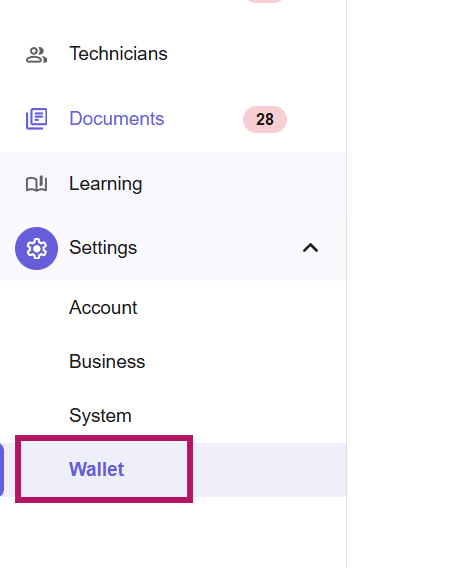
- From the left navigation menu under Settings, click Wallet.
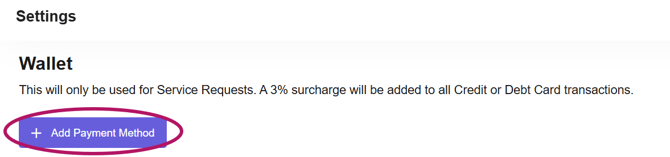
- Select Add Payment Method.
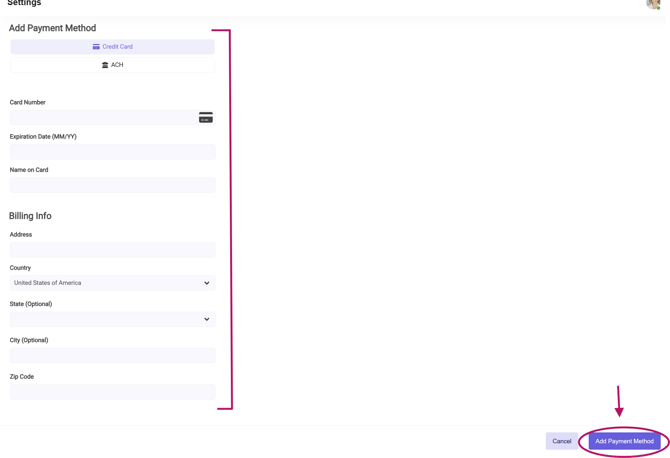
- Choose your preferred payment method.
- Enter your payment information.
- Click Add Payment Method in the bottom-right corner to save your payment method.
Your new payment method will now be available for future service-related invoices.
Note: Added payment methods cannot be edited, if you make a mistake or need to changes something please delete the previous entry and re-add the payment method.
Managing Payment Methods
The Wallet allows you to manage multiple payment methods.
- Add multiple credit cards and ACH payment methods.
- Remove payment methods you no longer use.
- Set a default payment method for future transactions.
Important: A default payment method is required. If you want to remove your current default payment method, you'll first need to set another payment method as the default.
If a payment method has expired, it will be marked as expired. Expired payment methods cannot be selected as the default, but they can still be removed.
Security
- UptimeHealth does not store your credit card or bank account information.
- Payment methods are securely tokenized.
- Payment tokens automatically sync with the financial platform to keep your payment information consistent across both systems.
For additional assistance please email our Support Team.